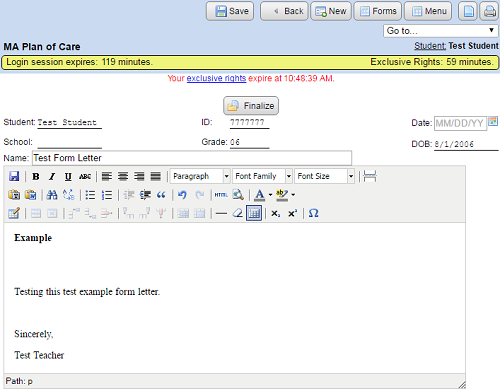
How do I add a form letter?
To add a new form letter:
- Navigate to the desired student's forms page.
- Expand the “Form Letters” section and click the “Add form letter” link.
- Choose a pre-defined form letter from the “Select form letter” drop down list box, or type a name in the text field for a new, blank form letter. Click “Add”.
- Enter the date and any other information.
- Edit the body of the form letter as needed.
- Click “Save”.
- Click the “Print” button to print the form letter.
- The body of the form letter works the same as an ER section in Design mode. Be sure to follow the copy and paste guidelines.
- You can add tables to the form letter just like you can in an ER section.
- If you have a really great form that everyone could use, your system administrator can make form letters available to all users!