How do I use the Admin Overview?
Using the Admin Overview
The Admin overview shows you, at a glance, what students have overdue service plans or evaluations.
- Navigate to the main Administration menu.
- Open the “Go To…” drop down list box.
- Choose “Admin overview”.
- Optionally, filter the list by District by choosing a district name from the “District” drop down list box.
- Optionally, filter the list by School by choosing a school name from the “School” drop down list box.
- Click the “Search” button.
In many cases, students show up on the Admin Overview because dates have not been entered or updated in a student's setup page or because the student has not been properly EXITed from SpEd Forms.
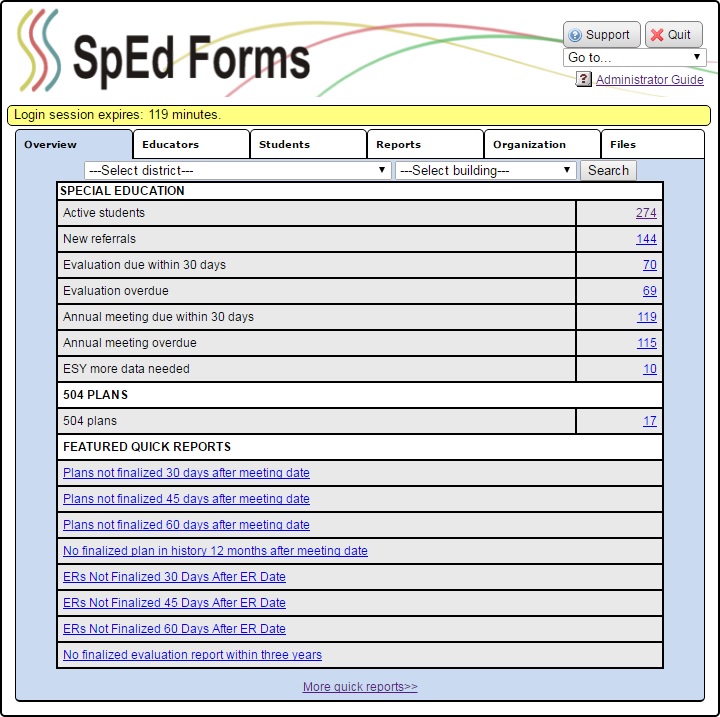
The left column of the Admin Overview shows students with overdue service plans based on plan dates, specifically, the last plan date plus one year, or if the next plan date is before the current date. Only the 50 most past due students are shown.
The right column shows the most overdue evaluations base on the evaluation date, specifically, if the last evaluation date plus three years is before the current date. Only the 50 most past due students are shown.