How do I use the Combined Report?
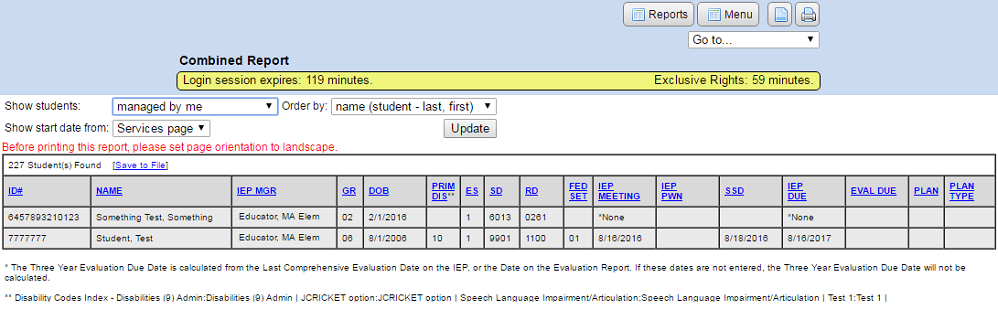
The Combined Report
You can export the report to a file by clicking the “Save to File” link. A comma separated (CSV) file will be downloaded to your computer. You can open the downloaded file with Excel or any other spreadsheet program.
- Navigate to the “Main Menu”.
- Click the “Reports” button.
- Click on “Combined report”.
- You can constrain the report by using the “Show students” drop down list to only show:
- Students managed by you
- Students receiving services from you
- Students shared with you
- You can also sort the report by setting the “Order By” drop down list criteria if you want.
- You can also sort the report by setting the “Show start date from” drop down list criteria if you want.
- Click the “Update” button.