How do I finalize a Progress Report?
You no longer have to finalize progress reports! Progress reports are saved directly to (attached to) the finalized IEP that you have chosen from the drop down list. Progress is documented and saved on an ongoing basis for virtually any finalized service plan. Just enter a date into a blank date field, document the progress and click “Save”. A new, blank progress field will be added for your next entry. As progress is reported, it 'builds' showing all progress to date for the service plan. It might look like this:
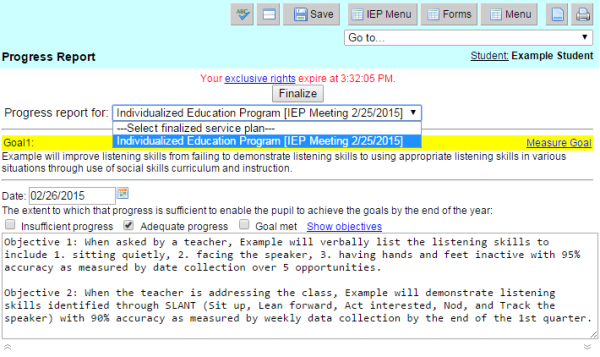
Reporting a student's progress:
- Notice that the most recent dates are at the top with older dates further down the list.
- You can document progress as often as you like.
- When a new service plan (IEP) is finalized, it will be listed by date in the drop down menu at the top of the Progress Report page. You would then select that finalized plan to report progress on.
- You can see any Progress Report for any finalized service plan by choosing the finalized plan from the drop down list.