How do I save a report to Excel?
In most of the administrative reports that SpEd Forms offers, your search results can be saved to a comma delimited file and used in a spreadsheet or changed and re-imported back into your SpEd Forms database.
Saving reports to Excel (CSV) format
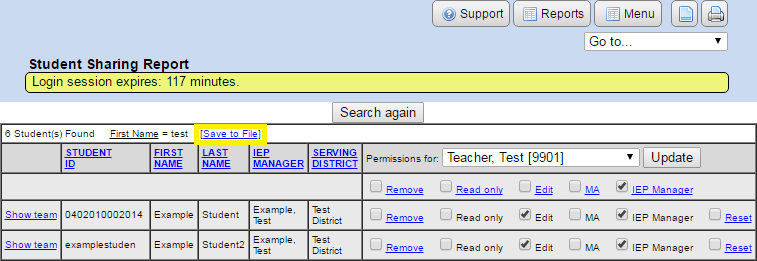
- If the “Save to File” link does not appear, this report cannot be saved to a comma delimited file.
- Search for the records you want to export.
- Click the “Save to File” link just above the search results.
- Chrome & Safari will download the file without prompting to change the name or download location.
The comma delimited file (CSV) can be opened in Excel or any text based program.
You will notice that the field names are listed on the top line and any available data is listed on the next lines in the same order as the top line. Blank spaces between commas are place holders showing that the field is blank or did not have any data.
If you alter any of the data in the comma delimited file, or add new clusters of data, please make sure that the field order is preserved. You will run into major errors and can potentially destroy a database by trying to import data in the wrong order.