Table of Contents
Firefox Setup Instructions
To remove the header and footer:
- Press the “Print” button from any form.
- When the “Print” dialog appears, click the “More settings” dropdown.
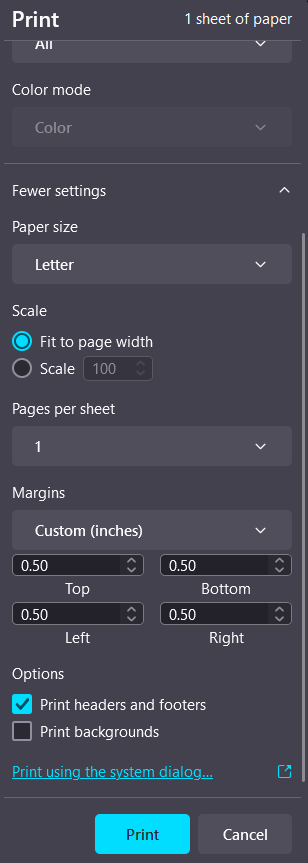
- Deselect “print headers and footers”.
Firefox will remember your preferences
Margin Setup
We recommend 0.5 inch margins for top, bottom, left and right if your printing is off. This is the default in Firefox.
- Within the “More settings dropdown” change “Margins” to custom.
- Enter margins.
Make sure to check Print Background (colors & images). Otherwise some forms may print out different.