Table of Contents
Google Chrome Setup Instructions
To remove the header and footer:
- Press the “Print” button from any form.
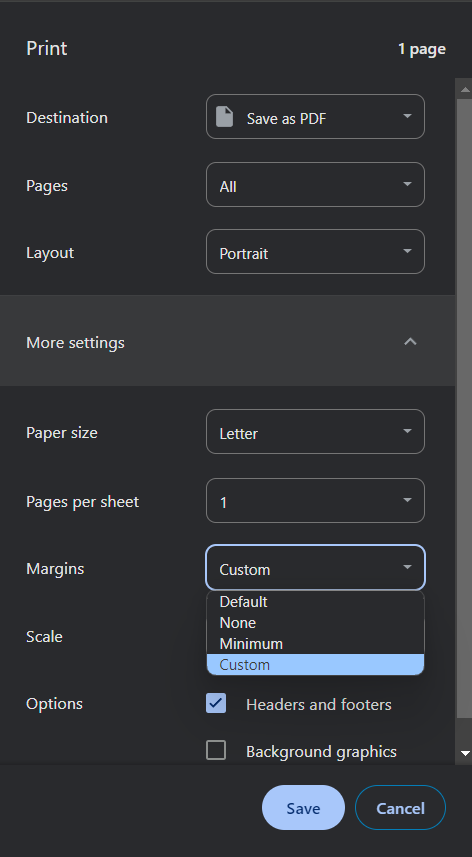
- When the “Print Preview” dialog appears, press the “More Settings” option.
- Uncheck the “Headers and footers” check box.
- Press the “Print” button.
The check box will remain unchecked from now on.
If you need to adjust the print margins, you will need to do it each time you print. Google Chrome does NOT save margin settings.
Margin Setup
We recommend 0.5 inch margins for top, bottom, left and right if your printing is off.
- Click the “Margins” drop down list box.
- Choose “Custom”.
- Move your mouse over the preview and “click and drag” the margin lines until each says “0.50” or set them to what is needed to make your form look best.

Newer versions (13 or later) of Chrome open print dialogs in new tabs. This is a behavior of Chrome and is normal. Simply close the print tabs when you are done with them.
Make sure to check Background graphics when printing. Otherwise some forms may print out different.