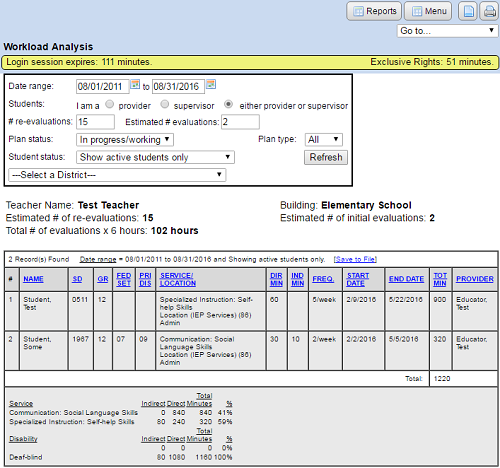
How do I use the Workload Analysis report?
Teacher workload analysis
This report uses the service provider's ID in the “Provider” field for each service on any service page. Your provider ID must be set for the service before it will show up in this report.
- Navigate to the “Main Menu”.
- Click the “Reports” button.
- Click on “Teacher workload analysis”.
- Enter the number of evaluations and re-evaluations (if necessary) and click the “Save” button.