Table of Contents
Sharing a form letter with all users
To add a form letter for all users to access:

- From the main Administration Menu, click “Organization”.
- On the Organization page, click the blue “Form letters” link.
- On the “Form letters” page, click the “Add form letter” button.
- Optionally, select a category from the “Category” drop down list box.
- Enter a name for the form letter in the “Title” text field.
- Click the “Add” button.
- There is now a new, blank form letter in the list.
To edit the form letter:
- Find the form letter in the list and click on it's name.
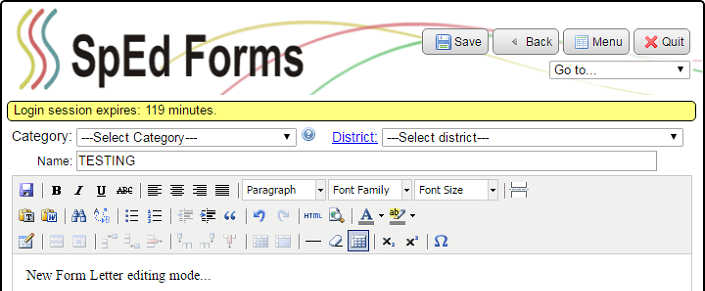
- Optionally, choose a value from the “Category” drop down list box.
- Optionally, choose a district from the “District” drop down list box if you only want a specific district to use the form.
- Optionally, you can rename the form letter by changing the name in the “Name” text field.
- Edit the body of the form letter. Editing works like working in an ER section in Design Mode.
- Press the “Save” button.
- The new form letter will be displayed as a choice in the drop down list box in the “Form Letters” section when a new form letter is added for a student.